
Apple 2026 MacBook Neo 13‑inch (A18 Pro) Review: A Compact MacBook Built for On‑Device AI
Product Summary
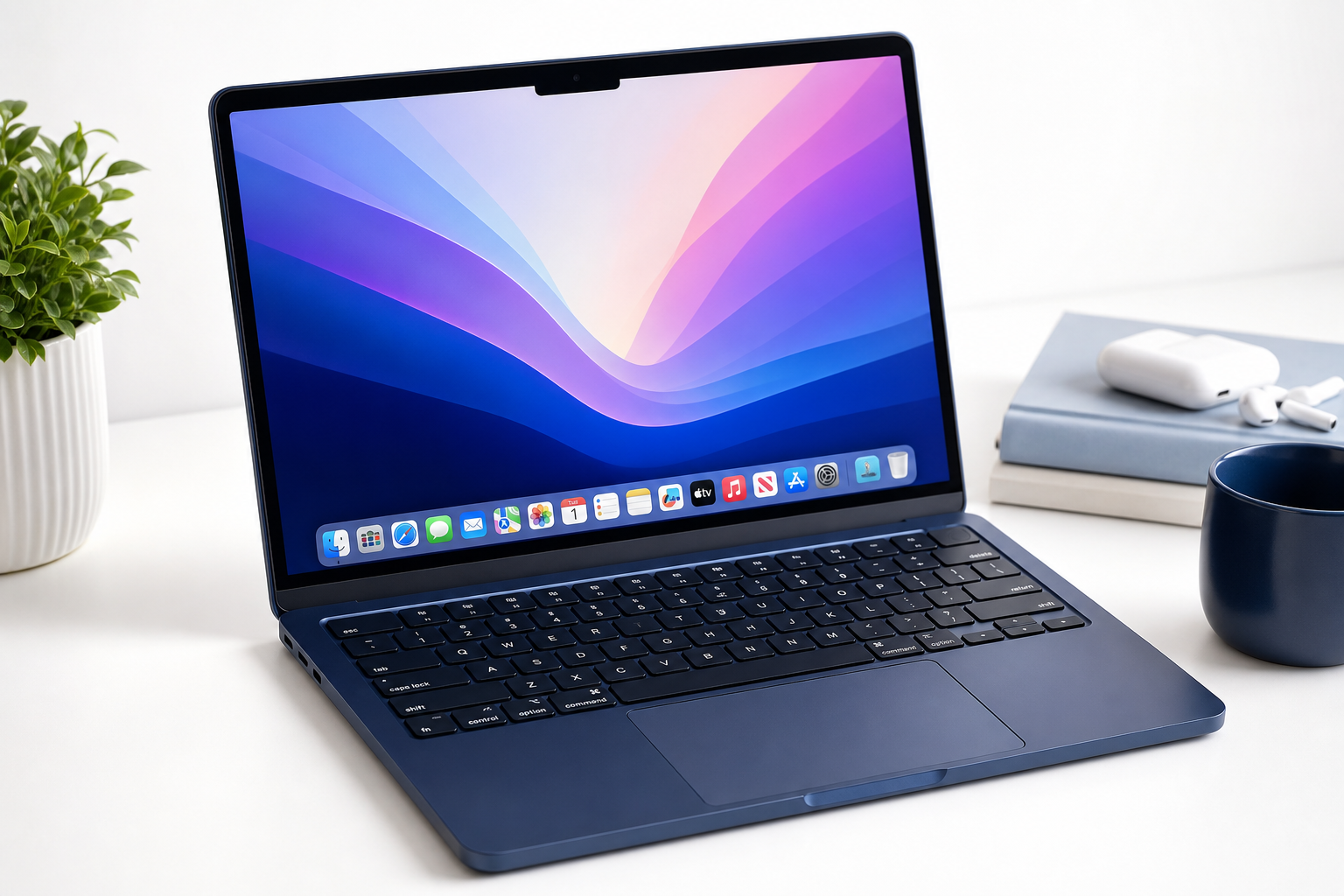
The Apple 2026 MacBook Neo 13‑inch Laptop with A18 Pro chip is positioned as a compact macOS notebook optimized for on‑device AI and Apple Intelligence workflows. With a 13‑inch Liquid Retina display, 8GB of unified memory, and a 512GB SSD, it targets users who prioritize portability, battery life, and tight integration with Apple’s AI features over raw workstation‑class power.
At roughly the $789.99 mark on its Amazon product page, this Neo configuration sits in the same general bracket as higher‑end ultraportables and entry‑level pro laptops. Instead of chasing maximum cores or discrete graphics, Apple leans on the A18 Pro’s neural processing capabilities, efficient performance, and a fanless or near‑silent design (depending on final thermal configuration) to deliver a quiet, always‑ready machine.
Key highlights include:
- A18 Pro chip with Apple Intelligence–focused acceleration for tasks like text assistance, image enhancement, and on‑device language features.
- 13‑inch Liquid Retina display with high pixel density, wide color, and strong brightness for indoor work and media consumption.
- 8GB unified memory and 512GB SSD suited to mainstream productivity, web, and light creative tasks.
- 1080p FaceTime HD camera and Touch ID integrated into the keyboard for secure login.
- A refined, slim chassis available here in Indigo, continuing Apple’s color‑accented laptop design trend.
Overall, this model is best understood as a next‑generation everyday MacBook that adds AI‑centric capabilities without dramatically changing the familiar 13‑inch formula.
Target Users
The 2026 MacBook Neo 13‑inch is best suited to:
-
Students and educators
- Ideal for note‑taking, research, cloud‑based coursework, and video calls.
- On‑device AI features can help with summarizing documents, generating outlines, and managing schedules.
-
Mobile professionals
- Writers, consultants, marketers, and knowledge workers who rely on office suites, browsers, and communication tools.
- The combination of long battery life and light weight makes it appealing for commuting and travel.
-
Light creative users
- Photographers and content creators working on basic edits, social‑media graphics, and short clips.
- The Liquid Retina panel and color accuracy make it a good viewing and light‑editing screen, though heavy 4K video or large 3D workflows may be constrained by 8GB of memory.
-
General home users
- For families who want a reliable, low‑maintenance computer for browsing, streaming, personal finance, and communication.
- Apple’s ecosystem integration (iPhone, iPad, iCloud, AirPods) is a major plus here.
It is less ideal for power users who regularly push their machines with large Xcode projects, massive Lightroom catalogs, or multi‑layer 4K timelines, especially if they depend on higher RAM configurations or discrete GPUs.
Main Benefits
1. A18 Pro chip tailored for on‑device AI
The standout characteristic of the MacBook Neo is the A18 Pro chip, designed around efficient CPU and GPU cores plus an enhanced neural processing engine. For typical day‑to‑day use, this translates into:
- Responsive multitasking across browser tabs, productivity apps, and messaging.
- Fast wake and app launches, with the system feeling immediately available from sleep.
- On‑device AI processing for Apple Intelligence features, which can run locally without sending raw data to the cloud in many scenarios.
For workloads that map well to Apple’s neural engine—such as transcription, translation, and basic image manipulation—the Neo can feel faster than similarly priced machines that rely purely on CPU/GPU pipelines.
2. High‑quality 13‑inch Liquid Retina display
The 13‑inch Liquid Retina display remains a strong point:
- High pixel density for crisp text and UI elements.
- Wide color gamut support for accurate photo viewing and light editing.
- Good brightness and anti‑reflective coatings suitable for office and indoor environments.
While not a mini‑LED or OLED panel, the combination of resolution, color, and brightness is more than sufficient for productivity and media consumption, and competitive with many premium ultrabooks.
3. Balanced 8GB unified memory + 512GB SSD for mainstream use
The 8GB unified memory and 512GB of SSD storage configuration is a reasonable baseline for:
- Office work, web browsing, and communication.
- Light photo management and small projects in creative apps.
- Local media libraries alongside cloud‑based storage.
Unified memory helps ensure that both CPU and GPU can access the same pool, improving efficiency compared with traditional RAM/VRAM splits. While 8GB can be restrictive for heavy multitasking or professional creative workloads, it is adequate for the majority of mainstream users.
4. Strong battery life and quiet operation
Built on Apple’s mobile‑first chip philosophy, the A18 Pro emphasizes power efficiency:
- All‑day battery life for typical workloads (web, documents, streaming), depending on settings and usage.
- Minimal fan noise or potentially fanless operation, leading to a silent working environment.
For users who prioritize a quiet, cool laptop over absolute peak performance, this setup is compelling.
5. Apple ecosystem and security features
The MacBook Neo 13‑inch integrates seamlessly with other Apple devices and services:
- Continuity and Handoff with iPhone and iPad.
- iCloud sync for documents, photos, and notes.
- Touch ID for secure logins and purchases.
- Regular macOS updates with security and feature improvements.
These features, plus Apple’s track record for long‑term software support, add to the device’s overall value proposition beyond raw specifications.
Key Considerations
Before choosing the 2026 MacBook Neo 13‑inch, keep the following points in mind:
1. 8GB memory ceiling
- 8GB unified memory is fine for general productivity but can become a bottleneck if you:
- Keep dozens of browser tabs open.
- Run multiple heavy apps simultaneously (e.g., an IDE, several design tools, and virtual machines).
- Work with large photo or video projects.
- Power users may want to look for higher‑RAM configurations of Neo or move to a Pro‑class MacBook.
2. 512GB storage and reliance on external or cloud options
- 512GB SSD is comfortable for many users, but it can fill quickly if you:
- Store large RAW photo libraries.
- Keep numerous offline videos or large games.
- Maintain multiple virtual machines.
- External SSDs or cloud storage may be necessary for more demanding storage needs.
3. Port selection and dongle requirements
- As with recent MacBooks, the Neo likely emphasizes a minimalist port layout (e.g., USB‑C/Thunderbolt and headphone jack).
- Users who depend on HDMI, USB‑A, or SD card slots may need an additional dock or adapter.
4. Not aimed at heavy gaming or 3D work
- The A18 Pro’s integrated graphics and neural engine are optimized for efficiency and AI, not for high‑end 3D rendering or AAA gaming.
- Casual and mobile‑optimized titles should be fine, but serious gamers or 3D professionals may find the performance limiting.
Pros
- Optimized A18 Pro chip with strong efficiency and on‑device AI acceleration.
- 13‑inch Liquid Retina display offers sharp text, vibrant colors, and comfortable viewing.
- Compact, lightweight design suitable for commuting, travel, and classroom use.
- Good everyday performance for productivity, browsing, streaming, and light creative work.
- Apple Intelligence integration leverages the neural engine for faster local AI tasks.
- Quiet operation and strong battery life, with minimal heat and fan noise.
- Touch ID for secure and convenient authentication.
- 512GB SSD provides a reasonably sized local storage pool for general use.
- Indigo color option for buyers who prefer something more distinctive than traditional silver.
Cons
- 8GB unified memory may be restrictive for power users, large creative projects, or heavy multitasking.
- Limited port selection likely necessitates dongles or docks for some workflows.
- Not designed for intensive gaming or 3D rendering compared with discrete‑GPU laptops.
- Non‑upgradeable memory and storage typical of modern MacBooks—configuration choices at purchase are effectively permanent.
- The focus on AI and efficiency may not translate into significant benefits if your workflow does not use Apple Intelligence or AI‑accelerated tasks.
Alternatives
If you are considering the 2026 MacBook Neo 13‑inch but are unsure if it fits your needs, here are the main categories of alternatives to think about:
-
Higher‑tier MacBook configurations
- MacBook models with more unified memory (16GB or higher) and larger SSDs are better suited for:
- Professional creative work (video editing, large photo catalogs, 3D design).
- Intensive development workloads and containerized environments.
- These will typically be more expensive than the Neo’s $789.99‑class positioning but offer greater longevity for demanding users.
- MacBook models with more unified memory (16GB or higher) and larger SSDs are better suited for:
-
Larger‑screen MacBooks
- If you prefer more screen real estate for multitasking, consider 14‑inch or 16‑inch MacBook variants.
- They often come with higher‑end chips and additional ports, which may be preferable for stationary or semi‑mobile setups.
-
Windows ultrabooks and AI‑PCs
- Competing Windows laptops with dedicated neural processing units (NPUs) emphasize Copilot‑style AI features.
- These can be attractive if your workflow is anchored in Windows‑only software or enterprise stacks, though ecosystem integration with iPhone and other Apple products will be weaker.
When comparing, pay attention to:
- Memory and storage: Choose a configuration that will remain comfortable for at least several years.
- Ports and expandability: Factor in the cost and convenience of docks or hubs.
- Display quality and size: Balance portability with the need for screen space.
- Ecosystem fit: Consider whether you rely more heavily on Apple or Microsoft/other ecosystems.
Conclusion
The Apple 2026 MacBook Neo 13‑inch with A18 Pro chip is a thoughtfully balanced ultraportable that leans into Apple’s vision of on‑device AI and Apple Intelligence without abandoning the familiar strengths of the 13‑inch MacBook formula. Its combination of an efficient A18 Pro processor, Liquid Retina display, solid 512GB SSD, and quiet operation makes it a compelling everyday machine for students, mobile professionals, and general users.
However, the fixed 8GB unified memory, limited ports, and lack of discrete graphics mean it is not a one‑size‑fits‑all solution. Power users with heavy creative or development workloads will likely want to step up to configurations with more memory and potentially more robust chips.
If your daily tasks revolve around productivity, communication, and light creative work—and you value battery life, portability, and deep integration with Apple’s ecosystem—the 2026 MacBook Neo 13‑inch in Indigo is a strong contender worth considering at around $789.99. As always, think carefully about your long‑term memory and storage needs before you buy, since these components are not user‑upgradeable on this platform.