
Apple 2026 MacBook Pro (M5 Pro, 24GB/1TB): A Focused AI‑Ready Workhorse in a 14‑Inch Body
Introduction
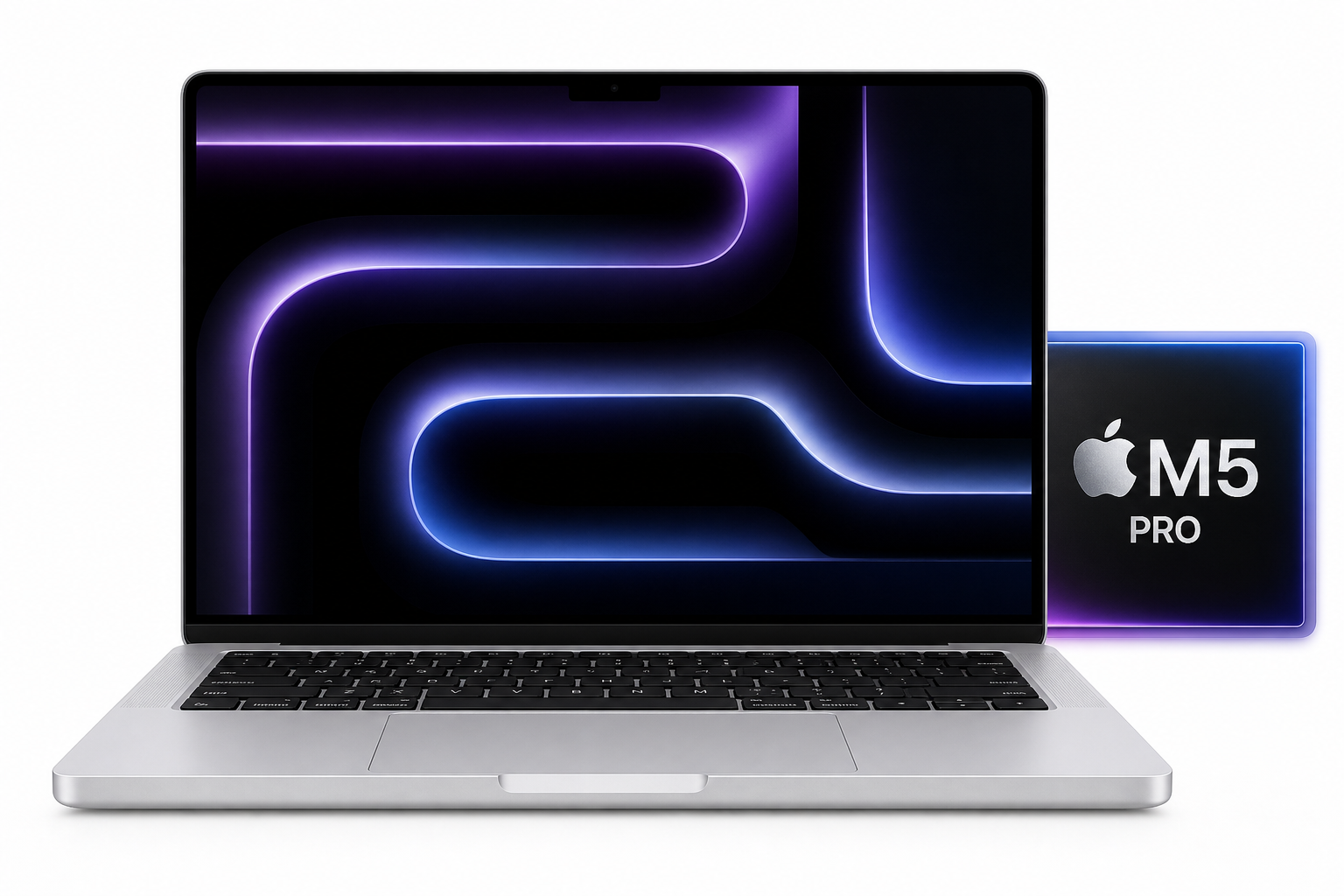
Apple’s 2026 14.2‑inch MacBook Pro in Silver pairs the M5 Pro chip with a 15‑core CPU and 16‑core GPU, 24GB of unified memory, a 1TB SSD, and the latest Wi‑Fi 7 networking. Positioned between the more affordable M5‑based machines and the higher‑end M5 Max configurations, this particular model is aimed at users who need robust, sustained performance for compute‑ and graphics‑heavy workloads—including AI—without jumping to the largest and most expensive tier.
While pricing will vary by retailer and region, this configuration typically sits in the premium bracket for 14‑inch laptops, around $2299.00 on Amazon, reflecting its status as a high‑end mobile workstation rather than a general‑purpose notebook.
Below, we look at typical use cases, how the system performs in each, and where it stands out—or falls short—compared with alternatives.
Typical Use Cases
For this configuration, the most common and realistic scenarios are:
-
Software development and DevOps
- Web and app development (e.g., full‑stack JavaScript, Python, Swift).
- Containerized workflows (Docker, Kubernetes) and local services.
- Running multiple IDEs, terminals, and browsers simultaneously.
-
AI, machine learning, and data science
- Local LLM inference and experimentation using GPU/ANE acceleration.
- Training small to medium‑sized models and fine‑tuning on‑device.
- Data analysis workloads in Python/R, including notebook‑based workflows.
-
Content creation and media work
- 4K video editing, color grading, and motion graphics.
- High‑resolution photo editing and batch processing.
- Audio production and large multitrack sessions.
-
Professional productivity and knowledge work
- Large, multi‑display setups with heavy multitasking.
- Office suites, note‑taking, collaboration apps, and dozens of browser tabs.
- Virtual meetings and remote work.
-
General everyday use and light gaming
- Web browsing, media consumption, and casual games.
- Occasional use of 3D or creative apps without production‑level demands.
Performance in Each Scenario
1. Software Development and DevOps
The M5 Pro with a 15‑core CPU provides a substantial uplift over earlier Apple silicon generations, especially for heavily parallel tasks such as compiling large projects, running multiple services, and executing test suites. Developers working with modern toolchains (Xcode, JetBrains IDEs, VS Code, Docker‑based microservices) will find the system responsive even under load.
- Compilation and tests: The high core count and fast single‑thread performance help reduce build times and speed up unit/integration tests, particularly in multi‑module projects.
- Virtualization and containers: Running multiple containers or lightweight virtual machines in parallel is feasible, though users who routinely run several heavyweight VMs may still prefer higher memory tiers.
- Multitasking: 24GB of unified memory strikes a practical balance: it comfortably supports a couple of IDEs, containers, databases, and multiple browsers, though extremely memory‑dense workflows may push it toward its limits.
For most developers, especially web and app engineers, this configuration is more than adequate and should remain viable for many years.
2. AI, Machine Learning, and Data Science
This MacBook Pro is explicitly marketed as “built for AI,” and the M5 Pro generation backs that up with meaningful architectural improvements:
- GPU with integrated neural accelerators: Each GPU core includes a Neural Accelerator, improving throughput on AI workloads compared with older M‑series chips. This benefits local LLM inference, image generation models, and other tensor‑heavy computations.
- Apple Neural Engine (ANE) and Core ML: Optimized models can leverage the ANE for further acceleration with good energy efficiency, making on‑device inference more practical on battery power.
- 24GB unified memory: Sufficient for small and medium‑sized models and experiments (for example, many 7B‑parameter LLMs and some 13B models in optimized formats), although very large foundation models or high‑concurrency inference tasks will still be constrained by memory capacity.
Data scientists and ML engineers who primarily prototype locally and run full‑scale training on servers or the cloud will find this machine a strong, quiet, and efficient development client. Those trying to do all training and inference on‑device with large models may outgrow 24GB memory sooner.
3. Content Creation and Media Work
The 14.2‑inch Liquid Retina XDR display remains a key differentiator for MacBook Pro:
- High brightness and contrast: HDR content grading and previewing is accurate, with deep blacks and wide color coverage.
- Color‑critical work: Factory calibration and support for wide color gamuts make this usable out of the box for photography and design.
On the performance side:
- Video editing: The 16‑core GPU and media engines handle multi‑stream 4K editing, transitions, and color grading smoothly in common NLEs. Export times are competitive and remain consistent under long renders thanks to efficient cooling.
- Photo editing: Large RAW batches, complex layers, and AI‑assisted tools (noise reduction, upscaling, selections) benefit from both the GPU and ANE, keeping the UI fluid under heavy edits.
- Audio production: The CPU core count easily handles dense plugin chains and high track counts. Latency remains low, especially with well‑optimized DAWs.
For creators who primarily distribute 4K or below and work on the go, this configuration is very capable. Heavy 8K workflows or massive effects compositions may still be better suited to higher‑memory or desktop‑class systems.
4. Professional Productivity and Knowledge Work
For office‑style workloads, this MacBook Pro is more powerful than strictly necessary, but that surplus translates into a very responsive, future‑proof experience:
- Multimonitor setups: The M5 Pro models support multiple external displays, making it easy to build a command‑center‑style workstation at a desk.
- Battery life: Under mixed productivity workloads (office apps, web, communication tools), the machine typically offers all‑day use on a single charge, aided by the efficiency of Apple silicon.
- Connectivity: Wi‑Fi 7 via the Apple N1 networking chip and Bluetooth 6 support high‑bandwidth, low‑latency wireless connections—useful for large file sync, low‑lag peripherals, and high‑resolution wireless displays.
Remote workers and professionals who spend long hours in productivity apps will see little in the way of slowdowns, even with demanding multitasking.
5. General Everyday Use and Light Gaming
For everyday users, this configuration is almost overkill—but that can be desirable if the goal is to buy once and keep the machine for many years:
- Browsing and media: Web browsing with many tabs, streaming high‑resolution content, and running communication apps simultaneously is trivial for this hardware.
- Casual and indie games: Many games available for macOS run well at the panel’s native resolution or slightly below, though titles that rely on non‑Metal APIs or lack Apple silicon optimizations may perform less impressively.
- Noise and thermals: Under light to moderate everyday loads, the system stays near‑silent and cool, only spinning up fans during heavier sustained workloads.
Users whose tasks rarely go beyond web, media, and office apps may find less expensive Macs more cost‑effective, but this machine offers ample headroom.
Strengths Across Scenarios
-
Strong AI and GPU‑accelerated performance
- The M5 Pro’s 16‑core GPU with per‑core Neural Accelerators and an updated ANE architecture bring meaningful improvements for AI and other parallel workloads.
- Local LLMs, image generation tools, and AI‑enhanced creative apps run more smoothly and efficiently than on earlier generations.
-
Balanced configuration for serious work
- 24GB unified memory and 1TB SSD are well‑matched: enough RAM for demanding multitasking and on‑device experimentation, and enough storage for large projects, datasets, or media libraries.
- This balance suits developers, creators, and engineers who need more than entry configurations without jumping to the extremes of cost and capacity.
-
Excellent display and build quality
- The 14.2‑inch Liquid Retina XDR panel offers high brightness, deep contrast, and accurate color, making it ideal for HDR content and color‑critical work.
- The chassis maintains the solid, premium build associated with MacBook Pro, including a reliable keyboard, large trackpad, and high‑quality speakers.
-
Efficient thermals and battery life
- Apple silicon’s efficiency allows this machine to sustain demanding tasks with less noise and heat than many comparably powerful x86‑based laptops.
- For mixed workloads, users can often leave the charger behind for most of a working day.
-
Modern connectivity and longevity
- Wi‑Fi 7 and Bluetooth 6 via the Apple N1 networking chip help the machine stay relevant as wireless standards evolve.
- macOS support longevity and the performance headroom of the M5 Pro suggest a long usable life for this configuration.
-
Reasonable value among high‑end options
- While absolutely not inexpensive, the combination of CPU/GPU performance, AI capabilities, display quality, and build quality makes the $2299.00 price bracket more defensible for buyers who will fully utilize its capabilities.
Limitations Across Scenarios
-
24GB unified memory ceiling for heavy specialists
- For many users, 24GB is ample. However, advanced ML practitioners, 3D artists, and very heavy multitaskers may eventually bump into memory limits, especially with increasingly large models and datasets.
- Because memory is not user‑upgradable, misjudging future needs means replacing the machine rather than upgrading it.
-
No internal hardware upgrades
- As with other modern MacBooks, CPU/GPU, memory, and storage are all soldered. Buyers must choose carefully at purchase time.
- The 1TB SSD is generous for many but can become limiting for large video archives or big data projects, pushing users toward external storage.
-
Price of entry remains high
- Even with its balanced spec, this configuration resides at a cost level that may be hard to justify for users who do not regularly exploit its performance.
- For basic productivity or light creative work, lower‑tier Macs may offer better value.
-
14‑inch size not ideal for everyone
- The 14.2‑inch screen is a good compromise between portability and usability, but users used to 16‑inch or larger displays may find it cramped, especially for dense timelines or complex multi‑window setups.
- External monitors mitigate this at a desk, but mobile‑only creators might prefer a larger panel.
-
Gaming still secondary
- While performance for supported titles is respectable, macOS remains secondary for mainstream AAA gaming compared with Windows.
- Users whose primary goal is high‑end gaming will still find better options on dedicated gaming laptops or desktops.
Verdict
The Apple 2026 14.2‑inch MacBook Pro with M5 Pro (15‑core CPU/16‑core GPU), 24GB unified memory, and 1TB SSD is a highly capable, forward‑looking machine aimed squarely at professional and technical users. It particularly suits:
- Developers and engineers who need fast builds, robust multitasking, and reliable performance over long sessions.
- AI/ML practitioners and data scientists who prototype and run inference locally but push full‑scale training to servers or the cloud.
- Content creators handling 4K editing, photography, and audio production who value the Liquid Retina XDR display and efficient performance.
- Professionals seeking a long‑term, do‑everything laptop that remains responsive and supported for many years.
Its main trade‑offs are the fixed 24GB memory ceiling, lack of internal upgrade paths, and a premium price around $2299.00 that will be overkill for general users. Those who primarily browse, stream, and use office apps can achieve similar day‑to‑day experience on less expensive machines.
For buyers who do need its capabilities—and can plan their configuration needs accurately at purchase—the 2026 M5 Pro 14‑inch MacBook Pro in Silver is a compelling, well‑balanced choice that brings modern AI‑oriented performance, excellent display quality, and strong efficiency together in a single, highly portable package.