
Apple AirTag (2nd Generation) Review: A Smarter, Longer‑Range Tracker for Everyday Essentials
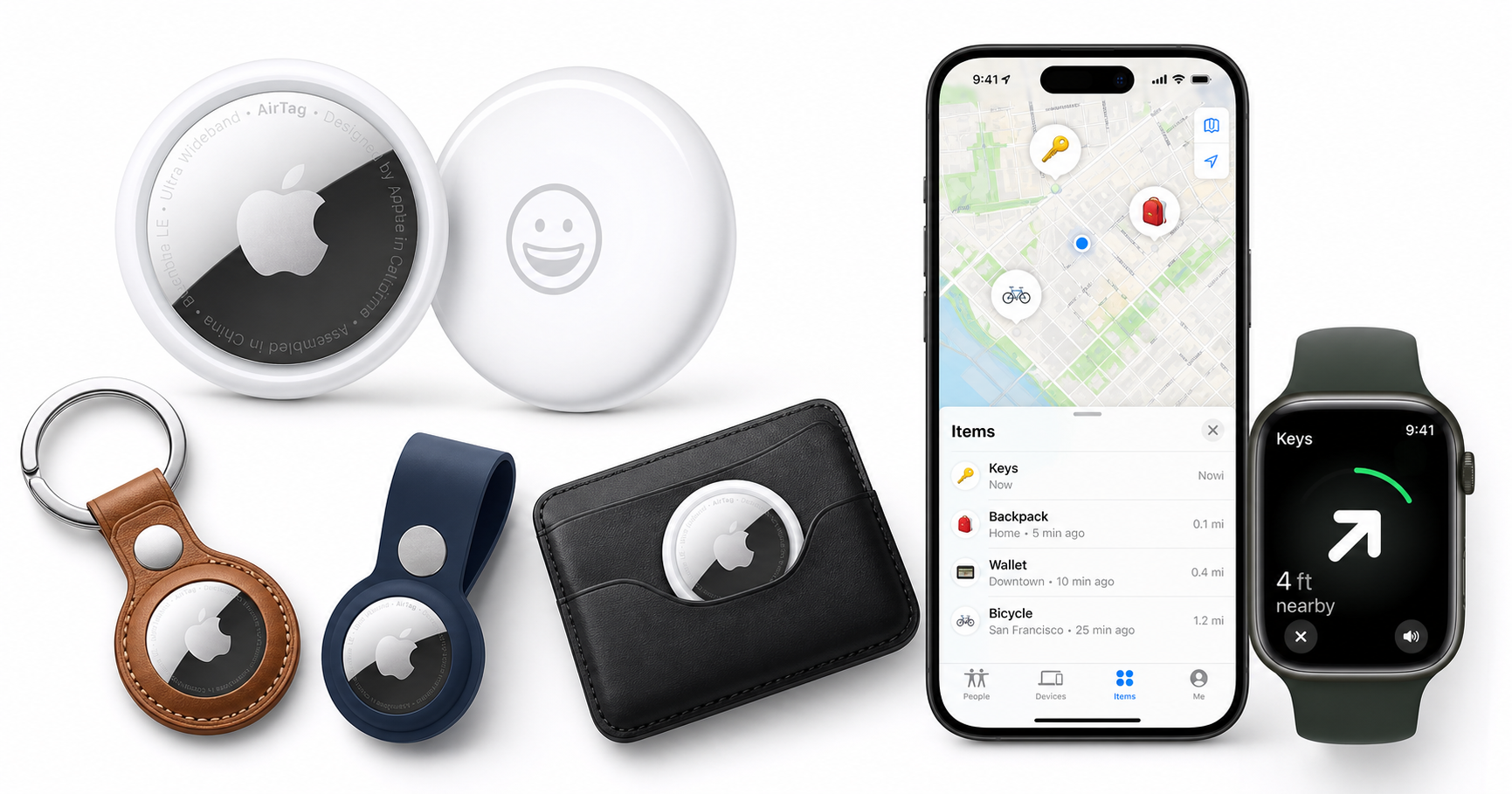
Apple AirTag (2nd Generation) Review: A Smarter, Longer‑Range Tracker for Everyday Essentials
Introduction
Apple’s original AirTag quickly became a popular way for iPhone and iPad users to keep track of keys, wallets, bags, and other everyday essentials through the Find My app. The Apple AirTag (2nd Generation) builds on that formula by focusing on what matters most in a tracker: better range, more precise guidance to your items, and improved audibility when they’re hidden out of sight.
While the hardware still looks nearly identical to the first model, the internal updates—especially to Ultra Wideband and Bluetooth—make this a more capable and convenient key finder for users already invested in the Apple ecosystem.
Note: Pricing can fluctuate, so check the current cost on the product page (for example, $24.00 for a single AirTag at the time of writing).
Product overview and key features
At a glance, the second‑generation AirTag keeps the same minimalist, coin‑like design that fits naturally into keychains, wallets (with a compatible holder), backpacks, camera bags, and luggage tags. Where it really changes is under the hood.
Design and build
- Compact, disc-shaped form factor that mirrors the first generation, with a glossy front and metallic back.
- No built‑in keyring hole, so you still need an accessory (like a loop, strap, or wallet card holder) for secure attachment.
- User‑replaceable CR2032 coin cell battery, targeting roughly a year of typical use before replacement is needed.
- Durable enough for everyday handling, tossing into bags, and use on keychains when paired with a case or loop.
Core tracking features
- Find My network integration: Leverages Apple’s vast network of iPhone, iPad, and Mac devices to help locate a lost AirTag, even when it’s out of Bluetooth range of your own hardware.
- Precision Finding with expanded range: Uses Ultra Wideband to show distance and direction to your AirTag on supported iPhone and Apple Watch models, now with up to roughly 1.5× the effective Precision Finding range compared to the original generation.
- Improved Bluetooth performance: Updated Bluetooth hardware helps devices detect the tag from farther away, improving the odds that your item shows up quickly in Find My.
- Louder built‑in speaker: Redesigned internals and a new acoustic profile deliver a noticeably louder chime to help you locate tags buried under cushions or inside bags.
Privacy and safety features
Building on the first AirTag’s safeguards, the 2nd generation continues to include:
- Unwanted tracking alerts: iPhones (and other supported devices) can notify users if an unknown AirTag appears to be moving with them over time.
- Randomized Bluetooth identifiers: The AirTag regularly rotates its Bluetooth identifiers to make it more difficult to track an individual through passive scanning.
- End‑to‑end encryption in the Find My network: Location data is designed so that only the AirTag’s owner can see the precise location of their tag, not Apple or other parties.
These protections are particularly relevant given broader concerns about Bluetooth trackers and personal safety; Apple has been iterating on alerts and platform‑level protections across iOS, iPadOS, and watchOS.
Performance and user experience
Setup and daily use
If you already use Apple devices, setup is intentionally simple:
- Bring the AirTag near your iPhone or iPad.
- A setup card appears automatically, similar to pairing AirPods.
- Assign a name (e.g., “Keys,” “Wallet,” “Backpack”) and link it to your Apple ID.
- The tag appears in the Items tab of the Find My app.
From there, everyday use revolves around the Find My interface:
- View your tagged item’s last known location on the map.
- Trigger the Play Sound function to have the AirTag emit its louder chime.
- Use Precision Finding to home in on a nearby item via on‑screen arrows, distance indicators, haptics, and audio cues.
Precision Finding and extended range
The standout upgrade in the second generation is its extended Precision Finding range and responsiveness:
- With supported iPhones and Apple Watches, you can start Precision Finding from significantly farther away than before—useful in larger homes, offices, or parking structures.
- When within range, the on‑screen guidance feels more confident and less prone to oscillation between directions, especially compared to the earlier model.
- The improved Bluetooth radio also helps the AirTag maintain a more stable connection as you move around, shortening the time between initiating a search and receiving actionable directions.
For users upgrading from first‑generation AirTags, these enhancements are most noticeable if you frequently search for items in complex or multi‑room environments.
Integration with Apple Watch
Another quality‑of‑life improvement is Apple Watch support:
- On compatible Apple Watch models, you can initiate Precision Finding directly from your wrist.
- The watch then uses haptic feedback, arrows, and distance readouts—handy when your iPhone isn’t in your pocket or you’re moving around hands‑free.
This makes it particularly practical when you’re about to walk out the door and realize your keys are missing, or when you want to find a bag in a crowded space without juggling your phone.
Sound and audibility
The updated internal layout and louder speaker are designed to tackle a common complaint with the original AirTag: the sound could be hard to hear in real‑world conditions.
On the 2nd generation model:
- The chime is noticeably louder and cuts through background noise more effectively.
- It’s easier to pick out from another room or under cushions, especially in quieter indoor environments.
- In very noisy public settings, you’ll still rely more heavily on Precision Finding visuals and haptics, but the improved sound helps in most household scenarios.
Battery life
Battery life remains broadly similar to the first‑generation AirTag:
- Apple targets around one year of typical use from a single CR2032 coin cell.
- Actual life varies based on how often you trigger sounds, use Precision Finding, and how frequently the tag is accessed via the Find My network.
- Battery replacement is straightforward: twist open the back cover, swap in a new CR2032 cell, and the tag reconnects automatically.
This approach keeps ongoing costs low and avoids disposable, sealed‑battery designs, though some competing trackers have begun to experiment with rechargeable options.
Pros and cons
Pros
- Improved Precision Finding range vs. the first generation, making it faster and easier to locate items in larger spaces.
- Louder built‑in speaker with a clearer chime, enhancing audibility when items are hidden or in another room.
- Deep integration with Apple’s Find My network, which is extensive in regions with a high density of Apple devices.
- Simple, intuitive setup and management via iPhone or iPad; behaves much like pairing other Apple accessories.
- Apple Watch Precision Finding support on compatible models, making quick searches more convenient.
- Strong privacy and safety measures relative to many third‑party trackers, including unwanted tracking alerts and encryption.
- User‑replaceable CR2032 battery, helping keep the long‑term cost of ownership manageable.
Cons
- Apple‑ecosystem dependent: Full functionality—including Precision Finding—requires relatively recent iPhone and/or Apple Watch hardware; Android users are largely excluded from the experience.
- No built‑in attachment loop or hole, forcing you to purchase additional keychains, loops, or wallet accessories for many use cases.
- Limited form factor: The round, coin‑like design works well for keys and bags but is less ideal for ultra‑slim wallets without a specialized holder.
- Not a real‑time GPS tracker: Location depends on proximity to Apple devices on the Find My network; it’s not designed for continuous live tracking in remote areas.
- Range and performance vary by environment: Dense buildings, interference, and low device density areas can reduce effectiveness.
Conclusion and recommendation
The Apple AirTag (2nd Generation) is a thoughtful refinement of Apple’s item tracker rather than a radical redesign. If you frequently misplace keys, bags, or other essentials—and you’re already using an iPhone or iPad—the combination of extended Precision Finding range, a louder speaker, and seamless Find My integration makes it a compelling everyday utility.
For new buyers choosing between this and the original generation, the second‑generation model is the clear choice: you get better range, better findability, and improved Apple Watch support without a more complex setup. For owners of the first‑generation AirTag, upgrading is most worthwhile if you:
- Often search for items in larger or multi‑story environments,
- Value faster, more reliable close‑range guidance,
- Or want to leverage Precision Finding directly from a compatible Apple Watch.
If you fall into those categories, adding a 2nd generation AirTag—or a pack of them at around $24.00—can significantly reduce the friction and stress of misplaced items. If your existing first‑generation tags are working well and you rarely push their range limits, you may not feel a strong need to replace them immediately, but the newer model sets a higher bar for Apple’s own ecosystem of Bluetooth item trackers.