
Apple iPad 7th Gen (2019) 10.2" Renewed Review: Still a Smart Budget Tablet in 2026?
Introduction
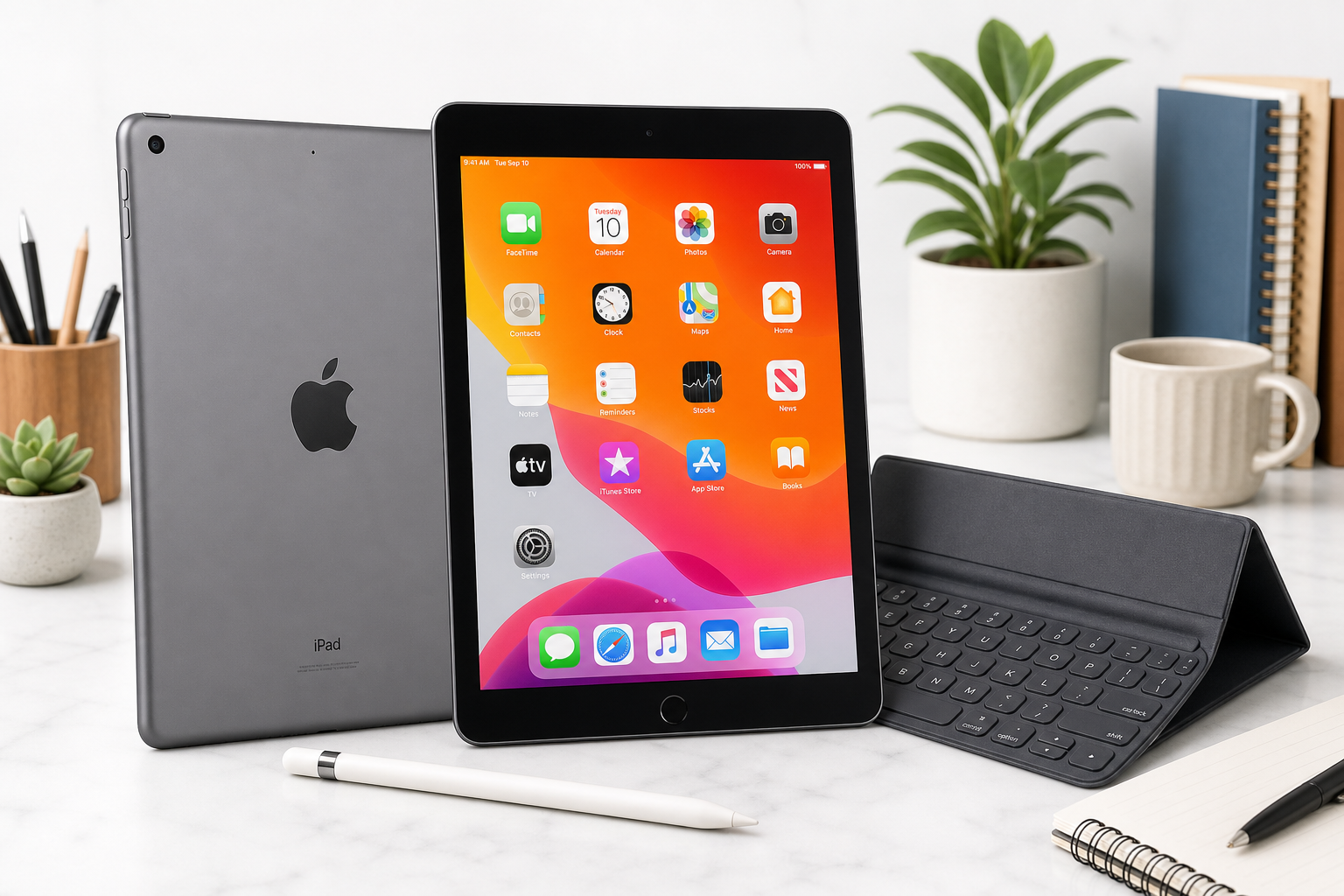
The Apple iPad (7th Generation, 10.2‑inch, 2019), 32GB, Wi‑Fi, Space Gray (Renewed) is a refurbished version of Apple’s first 10.2‑inch entry‑level iPad. Originally released in 2019, this model is built around a 10.2‑inch Retina display (1620 × 2160, ~264 ppi), the A10 Fusion chip, 2 GB of RAM, and 32 GB of internal storage, with support for the 1st‑generation Apple Pencil and Apple’s Smart Keyboard.
Buying it in renewed form via Amazon (ASIN B08264XHCZ) positions it as a budget‑friendly gateway to iPadOS rather than a cutting‑edge tablet. Instead of paying full price for the latest generation, you trade some performance headroom and longevity for a lower upfront cost like $96.04.
This review looks at what that trade‑off means in real‑world scenarios in 2026: where this renewed iPad still shines, where it struggles, and who it actually makes sense for.
Typical Use Cases
1. Everyday Browsing and Media Consumption
Typical buyers of this renewed 7th‑gen iPad are looking for a comfortable screen for:
- Web browsing and email
- Streaming video (YouTube, Netflix, Disney+, etc.)
- Social media and messaging
- Light photo viewing and basic editing
The 10.2‑inch Retina display and stereo speakers make it attractive as a compact media device that’s more immersive than a phone but far more portable than a laptop.
2. Students and Note‑Takers
Thanks to Apple Pencil (1st gen) and Smart Keyboard compatibility, this model can double as a budget note‑taking and light productivity device:
- Handwritten notes in apps like Notability or GoodNotes
- Typed notes, essays, and correspondence with a keyboard
- Reading and annotating PDFs and textbooks
- Remote classes or meetings using the front camera and microphone
For students or learners working with primarily text‑based workflows, this renewed model aims to deliver the “iPad experience” at a lower cost than newer 9th or 10th‑gen iPads.
3. Casual Gaming and Kids’ Tablet
The A10 Fusion chip is no longer current, but still handles:
- Casual games (puzzle games, 2D platformers, educational titles)
- Some 3D games at reduced settings
- Children’s learning apps and streaming services
This makes the renewed 7th‑gen iPad a common choice as a kids’ tablet for entertainment and schoolwork, where absolute peak performance is less important than price and durability.
4. Light Productivity and Home Use
For adults, this iPad can fit into a home setup as:
- A couch computer for email, calendar, and web apps
- A device for managing smart‑home dashboards
- A light document editor for cloud‑based tools (Google Docs, Microsoft 365)
While it is not a laptop replacement for heavy workloads, it can comfortably handle light productivity tasks when paired with a keyboard.
Performance in Each Scenario
Everyday Browsing and Media Consumption
Responsiveness:
- Basic navigation across iPadOS, launching common apps, and switching between a couple of light apps remains generally smooth on the A10 Fusion.
- With multiple heavier tabs or apps running, you may see occasional reloads and brief stutters due to the 2 GB RAM limit.
Display and audio:
- The 10.2‑inch Retina IPS LCD provides sharp text and vivid colors suitable for watching HD content.
- Brightness is adequate for indoor use; reflections and brightness limitations are more noticeable outdoors.
- Stereo speakers deliver acceptable clarity and volume for casual watching, though they lack the depth and separation of newer iPad Air or Pro models.
Battery life:
- Apple rated the 7th‑gen iPad for up to around 10 hours of web browsing or video playback when new.
- On a renewed unit, actual battery life depends heavily on refurb quality and prior usage. Many users can still expect a full day of light mixed use, but heavy streaming or gaming may require mid‑day charging.
Students and Note‑Takers
Writing and drawing:
- Apple Pencil (1st gen) support allows precise handwriting, sketching, and annotation.
- Latency is higher and the display is not laminated, so the pen tip appears slightly above the ink compared with newer iPads; for most note‑taking, this is acceptable, though artists may notice the difference.
Typing and multitasking:
- With a Smart Keyboard or Bluetooth keyboard, word processing and working in one or two apps side‑by‑side is comfortable.
- Split View and Slide Over work, but pushing multiple heavier apps simultaneously will reveal the RAM and CPU limits; more frequent app reloads and slower app switching are expected compared with modern models.
Storage constraints:
- The 32 GB capacity is restrictive for students handling large offline document libraries, downloaded videos, or multiple big apps.
- After iPadOS and core apps, practical free space can drop quickly; relying on cloud storage and regularly offloading files is almost mandatory.
Casual Gaming and Kids’ Tablet
Game performance:
- Casual games run well overall, especially titles optimized for older iPad hardware.
- More demanding 3D games may default to lower graphics settings or show dropped frames, particularly in newer releases.
Thermals and comfort:
- The A10 Fusion may warm slightly under continuous gaming, but the metal body generally remains comfortable to hold.
Parental use:
- iPadOS provides robust parental controls and Screen Time features, benefiting families who want to manage app access and usage time.
Light Productivity and Home Use
Office and web apps:
- Document editing, spreadsheets, and presentations in cloud services are feasible for light workloads.
- Multi‑tab web browsing with complex pages and web apps taxes the 2 GB of RAM; tabs may reload when switching back to them.
Video calls:
- The front camera is serviceable for casual video calls but not especially sharp compared with modern iPads.
- For remote classes or occasional meetings, performance is adequate, though running video calls alongside several other apps can push the device toward its limits.
Strengths Across Scenarios
-
Lower Entry Cost (as Renewed)
The core appeal of this renewed iPad is cost. For buyers willing to accept a previous‑generation chip and a refurbished chassis, pricing like $96.04 is significantly below new, current‑generation iPads, making it accessible as a secondary device, kids’ tablet, or budget option for basic tasks. -
10.2‑Inch Retina Display
The screen remains a strong point at this price tier: sharp, color‑accurate enough for casual media consumption and reading, and large enough to comfortably display documents and split‑screen views. -
Mature iPadOS Ecosystem
Even as an older model, the 7th‑gen iPad taps into:- A vast library of tablet‑optimized apps
- Good long‑term app support for reading, media, education, and productivity
- Apple’s ecosystem features (iCloud, Messages, FaceTime, Screen Time, etc.)
-
Accessory Compatibility
Apple Pencil (1st gen) and Smart Keyboard support significantly extend its utility for:- Students taking notes
- Users annotating PDFs and documents
- Light productivity users who want a portable typing setup
-
Solid Build Quality
The aluminum chassis and overall fit and finish typical of Apple hardware translate well even in renewed condition. Many refurbished units show only minor cosmetic wear, yet retain the premium feel absent in many budget Android tablets.
Limitations Across Scenarios
-
Aging A10 Fusion Chip and 2 GB RAM
While still usable, the A10 Fusion is multiple generations behind current Apple silicon. Combined with 2 GB of RAM, this leads to:- Noticeable slowdowns under multitasking
- More frequent app and browser tab reloads
- Reduced headroom for future OS and app updates
-
Constrained 32 GB Storage
For modern usage patterns, 32 GB is limiting:- A few large games, offline videos, or creative apps can quickly consume space.
- System files and updates further reduce usable storage.
- Users must actively manage apps and downloads, rely on cloud storage, and periodically offload content.
-
Renewed‑Unit Variability
As a renewed product, real‑world experience can vary by unit and refurbisher:- Battery health may differ; some units will last close to a full day, while heavily used batteries may drain faster.
- Cosmetic condition may include minor scratches or scuffs.
- Accessories may be third‑party rather than original.
-
Older Connectivity and Ports
- Uses the Lightning connector instead of USB‑C, limiting accessory compatibility and charging flexibility.
- Wi‑Fi‑only configuration means no built‑in cellular connectivity; hotspotting from a phone is required for mobile use.
-
Camera and Audio Limitations
- Front and rear cameras are basic by current standards, usable for video calls and document snapshots but not ideal for serious photography.
- Speakers are acceptable for casual use but lack the fullness and spatial performance of more modern and higher‑tier iPads.
-
Software Support Window
The 7th‑gen iPad launched in 2019 and has already seen multiple OS generations. While Apple historically supports iPads for many years, this model is closer to the end of its official support life than the beginning. Buyers should expect a shorter remaining window of major OS updates than with a new model.
Verdict
The Apple iPad (7th Generation, 10.2‑inch, 2019), 32GB, Wi‑Fi, Space Gray (Renewed) occupies a clear niche in 2026: it is not the tablet for users seeking long‑term performance headroom or heavy multitasking, but it can still be a sensible purchase for specific profiles.
Best suited for:
- Budget‑conscious buyers who want a genuine iPadOS device rather than the cheapest possible tablet
- Students and casual users focused on reading, note‑taking, streaming, and light productivity
- Families needing an affordable, reasonably robust tablet for kids’ educational apps and media
Less suited for:
- Power users who regularly multitask with many heavy apps or browser tabs
- Creators who require strong performance for video editing, complex drawing, or large file workflows
- Anyone who needs generous on‑device storage and wants to install many large apps or keep extensive offline media
If you understand its age‑related constraints—especially the A10 Fusion, 2 GB RAM, and 32 GB storage—and you are comfortable with the inherent variability of renewed devices, this 7th‑gen iPad can still deliver a solid everyday tablet experience. At a renewed price point around $96.04, it offers a compelling way to access Apple’s ecosystem and a high‑quality 10.2‑inch display without paying for a brand‑new model.