
HP DeskJet 2855e Review: Compact All‑in‑One for Simple Home Printing
Quick Summary
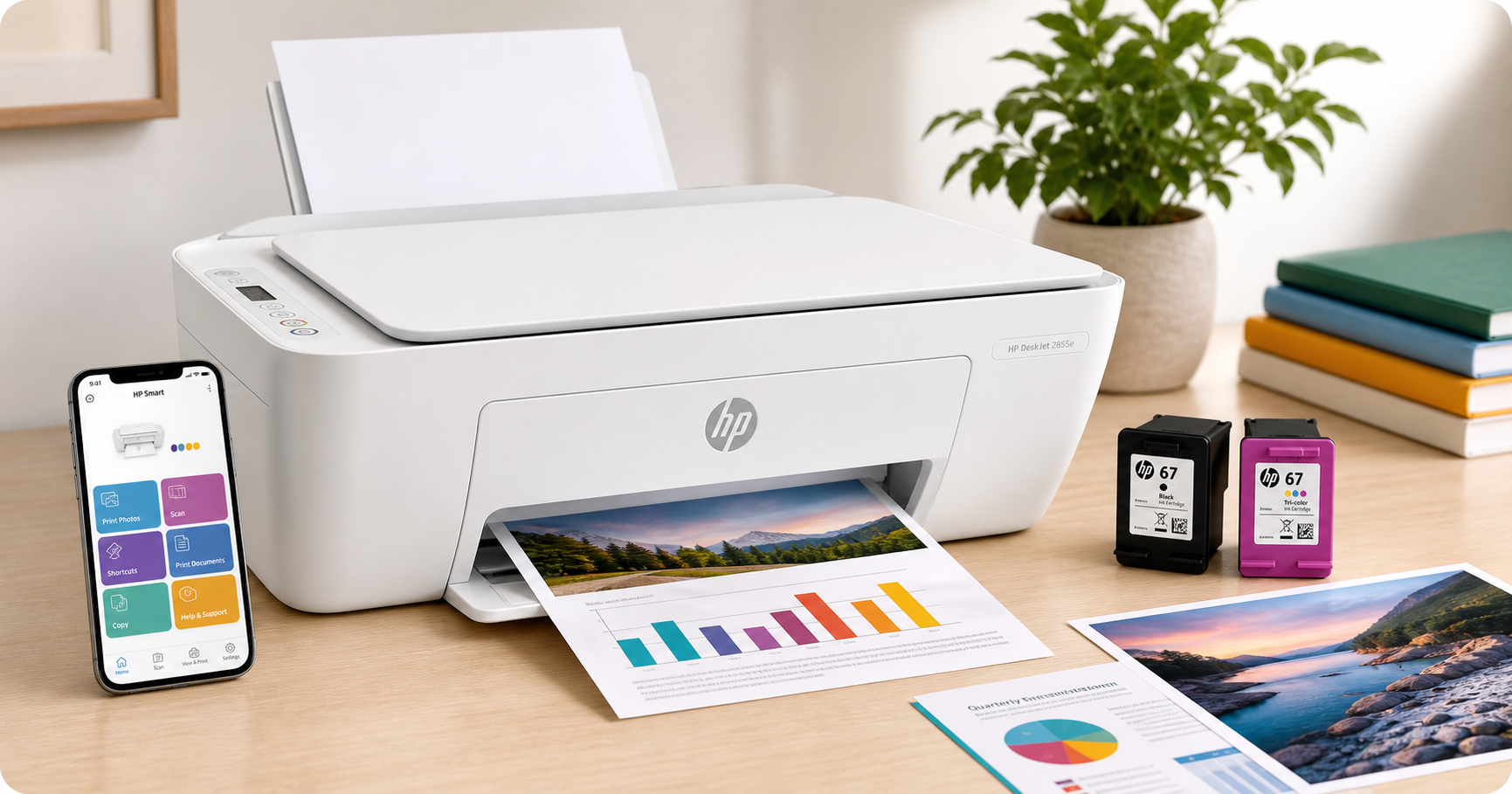
The HP DeskJet 2855e Wireless All‑in‑One Color Inkjet Printer (588S5A) is a compact, no‑frills device aimed at home users who need basic printing, scanning, and copying more than professional‑grade performance.
Key points at a glance:
- Functions: Print, scan, copy (color inkjet)
- Best for: Light home use, homework, basic documents, and casual photo prints
- Connectivity: USB 2.0 and 2.4 GHz Wi‑Fi, HP Smart mobile app support
- Speed: Up to ~7.5 ppm (black) and 5.5 ppm (color), suitable for low volumes
- Extras: 3‑month HP Instant Ink trial via HP+ activation, AI‑enabled features in HP Smart
- Limitations: No automatic duplex printing, only 2.4 GHz Wi‑Fi, ongoing ink costs and HP+ ecosystem considerations
For households looking for an inexpensive, space‑saving printer with wireless convenience and very modest print volumes, the DeskJet 2855e can be a practical choice — especially around $58.49 when on offer.
Detailed Analysis
Design and Build
The HP DeskJet 2855e follows HP’s compact home‑printer design language: low profile, light weight, and a clean white finish that blends easily into a home office or bedroom setup. The flatbed scanner lid doubles as the copier surface, and a simple control panel with basic buttons and status LEDs keeps the device approachable for non‑technical users.
The printer includes:
- Flatbed scanner for letter‑size documents
- Rear input tray (around 60‑sheet capacity) suitable for plain paper and light photo/media stocks
- Simple output tray for everyday documents
It is not designed as a heavy‑duty office workhorse; the plastic construction and small paper capacity reflect its role as a light‑duty home device.
Print Technology and Quality
The DeskJet 2855e uses HP’s thermal inkjet technology with a two‑cartridge system (black and tri‑color). For typical home usage, this configuration is straightforward but means that if one color in the tri‑color cartridge runs out, the entire color cartridge must be replaced.
In everyday use:
- Text documents: Black text is generally sharp enough for homework, invoices, and simple reports.
- Color graphics: Charts, flyers, and web pages print with decent color saturation and clarity for casual needs.
- Photos: Photo output on glossy paper is acceptable for casual snapshots but not at the same level as dedicated photo printers.
Print resolution is optimized up to the typical 4800 x 1200 dpi range for color inkjets, which is sufficient for most home uses.
Speed and Duty Cycle
This printer is optimized for low‑volume workflows:
- Nominal speed: Up to around 7.5 pages per minute (black) and 5.5 ppm (color) under ideal conditions.
- Best use case: A handful of pages a few times per week, not sustained multi‑hundred‑page jobs.
For students printing assignments, boarding passes, and occasional forms, the speed is adequate. For multi‑user families that print frequently or for home businesses that rely heavily on printing, a faster inkjet or a laser model would be more appropriate.
Connectivity: 2.4 GHz Wi‑Fi and USB
Connectivity is one of the DeskJet 2855e’s key selling points:
- Wireless: Supports only 2.4 GHz Wi‑Fi networks (not 5 GHz). This is common in budget printers but important to note — if your router broadcasts separate 2.4 GHz and 5 GHz SSIDs, make sure the printer connects to the 2.4 GHz band.
- USB 2.0: A standard USB port allows a direct wired connection to a computer if wireless is not desired.
- HP Smart app: Available for iOS, Android, Windows, and macOS, the HP Smart app simplifies setup, wireless printing, scanning to PDF, and monitoring ink levels.
Once properly configured, users can print from laptops, tablets, and smartphones on the same network. The model also includes HP’s self‑healing Wi‑Fi features, which attempt to automatically recover from minor connectivity disruptions.
HP+ and Instant Ink Trial
The DeskJet 2855e is HP+‑enabled and typically includes a 3‑month trial of HP Instant Ink when HP+ is activated during setup. HP Instant Ink is a subscription service where the printer reports page usage to HP and replacement cartridges are shipped automatically based on your chosen page plan.
Points to consider:
- The trial can be cost‑effective if you print regularly during those first months.
- After the trial, fees depend on the selected plan and page volume.
- HP+ ties the printer more tightly to HP ink; using third‑party cartridges may be limited when HP+ is active.
If you prefer to buy cartridges on your own schedule or want the flexibility of using compatible third‑party ink, weigh these factors carefully before activating HP+.
User Experience
Setup and Installation
Initial setup is designed to be app‑driven:
- Unbox and remove packaging materials.
- Install the included setup cartridges.
- Power on the printer.
- Use the HP Smart app or HP’s setup website to connect the printer to your 2.4 GHz Wi‑Fi network.
For most users, the process is straightforward, but there are a few practical considerations:
- You may need to be within range of your router during setup to avoid connection drops.
- If your home network uses a single SSID for both 2.4 GHz and 5 GHz, make sure the printer is associating with the 2.4 GHz band. Some users may need to temporarily separate the bands on their router.
- Installing the full driver package on Windows or macOS helps ensure full functionality (scanning, status monitoring, etc.).
Everyday Use
Once set up, daily interaction is simple:
- Printing: Most users will print wirelessly from phones or laptops. The HP Smart app allows direct printing of photos, PDFs, and common documents.
- Scanning and copying: Place documents on the flatbed and either use the panel buttons or start jobs from the app. Scans can be saved as PDFs or images, then emailed or uploaded.
- Noise and speed: Noise levels are typical for an entry‑level inkjet; not silent, but acceptable for a home environment.
Reliability and Maintenance
The 2855e is intended for moderate use; with limited mechanical complexity, there is comparatively little to maintain beyond:
- Replacing ink cartridges when low
- Running the built‑in printhead cleaning tools if print quality drops
- Keeping the input/output trays clear of dust and paper debris
As with many modern inkjets, long periods without printing can lead to dried ink and nozzle clogging. Printing at least a small page or two every week or so helps keep the system in good working order.
Pros
- Affordable entry‑level all‑in‑one suitable for basic home use around $58.49 when discounted
- Compact, lightweight design that fits easily on a shelf, desk, or small table
- Wireless and mobile printing via 2.4 GHz Wi‑Fi and the HP Smart app
- Print, scan, and copy in one device, eliminating the need for separate equipment
- Three‑month HP Instant Ink trial offers predictable ink replenishment and can reduce upfront running costs during the trial period
- Simple controls and interface, helpful for less tech‑savvy users
- Flatbed scanner accommodates IDs, books, and other originals that don’t feed well through sheet‑fed mechanisms
Cons
- No automatic duplex (two‑sided) printing, requiring manual flipping for double‑sided documents
- Limited to 2.4 GHz Wi‑Fi, which can be restrictive for users who rely on 5 GHz‑only networks
- Entry‑level print speeds, not ideal for users who frequently print large multi‑page documents
- Two‑cartridge system (black + tri‑color) can lead to higher ink replacement frequency, as one depleted color requires replacing the whole tri‑color cartridge
- HP+ and Instant Ink integration, while convenient for some, may feel restrictive to users wanting maximum flexibility with ink sourcing
- Primarily plastic construction, reflecting its budget orientation and making it less robust than business‑class models
Value Assessment
At approximately $58.49 on the product page, the HP DeskJet 2855e is positioned as a budget‑friendly home printer. Its value depends largely on your print habits:
- If you print occasionally — a few pages per week, school assignments, tickets, forms, and light color documents — the 2855e delivers reasonable quality and convenience for the cost.
- If your home prints dozens of pages per day, especially text‑heavy documents, a monochrome laser printer may offer a lower total cost of ownership and better durability.
- If you often print borderless photos or heavy graphics, a midrange photo‑oriented inkjet with dedicated photo inks may be more satisfying.
The three‑month Instant Ink trial adds short‑term value, especially if you plan your heaviest printing during that window. Over the long term, you should compare Instant Ink subscription pricing against buying standard or high‑yield cartridges outright based on your actual monthly page volume.
Overall, the 2855e offers solid value for light‑duty, general‑purpose home printing, particularly for users who prioritize a low purchase price and wireless convenience over speed or professional‑grade output.
Final Thoughts
The HP DeskJet 2855e Wireless All‑in‑One Color Inkjet Printer (588S5A) is best understood as a simple, home‑focused utility printer. It won’t replace a business‑class office machine, but it does a little bit of everything: print, scan, and copy, all from a compact footprint with easy wireless access.
Choose this model if:
- You want an affordable all‑in‑one for light household or student use.
- You need wireless printing from phones, tablets, and laptops on a 2.4 GHz Wi‑Fi network.
- You appreciate the convenience of Instant Ink during the included trial and possibly beyond.
Consider alternatives if:
- You print large volumes, need fast output, or require automatic duplexing.
- You strongly prefer to avoid subscription services or want a printer more accommodating of third‑party ink solutions.
For its intended role — budget‑friendly, low‑volume home printing with wireless convenience — the HP DeskJet 2855e is a reasonable, compact option that should satisfy many casual users when purchased at or below $58.49.