
Samsung Galaxy Tab A11+ (6GB/128GB) Review: A Well-Rounded Everyday Android Tablet
Introduction
The Samsung Galaxy Tab A11+ (6GB RAM, 128GB storage) is positioned as an accessible, modern Android tablet for streaming, reading, web browsing, and casual work. It offers a spacious 11-inch WUXGA LCD, a slim and lightweight design, Dolby Atmos speakers, expandable storage, and a long-lasting battery, along with Samsung’s familiar One UI software layer and AI-assisted features.
For buyers who want more than an entry-level tablet but don’t need the power (or price) of a flagship Galaxy Tab S, the Galaxy Tab A11+ is designed to hit a sweet spot. On retailers such as Amazon, it typically sits around $249.99, making it an appealing option for students, families, and general home use.
Setup / Getting Started
Getting started with the Galaxy Tab A11+ is straightforward, especially if you already use a Samsung phone or another Galaxy tablet.
-
Unboxing and first impressions
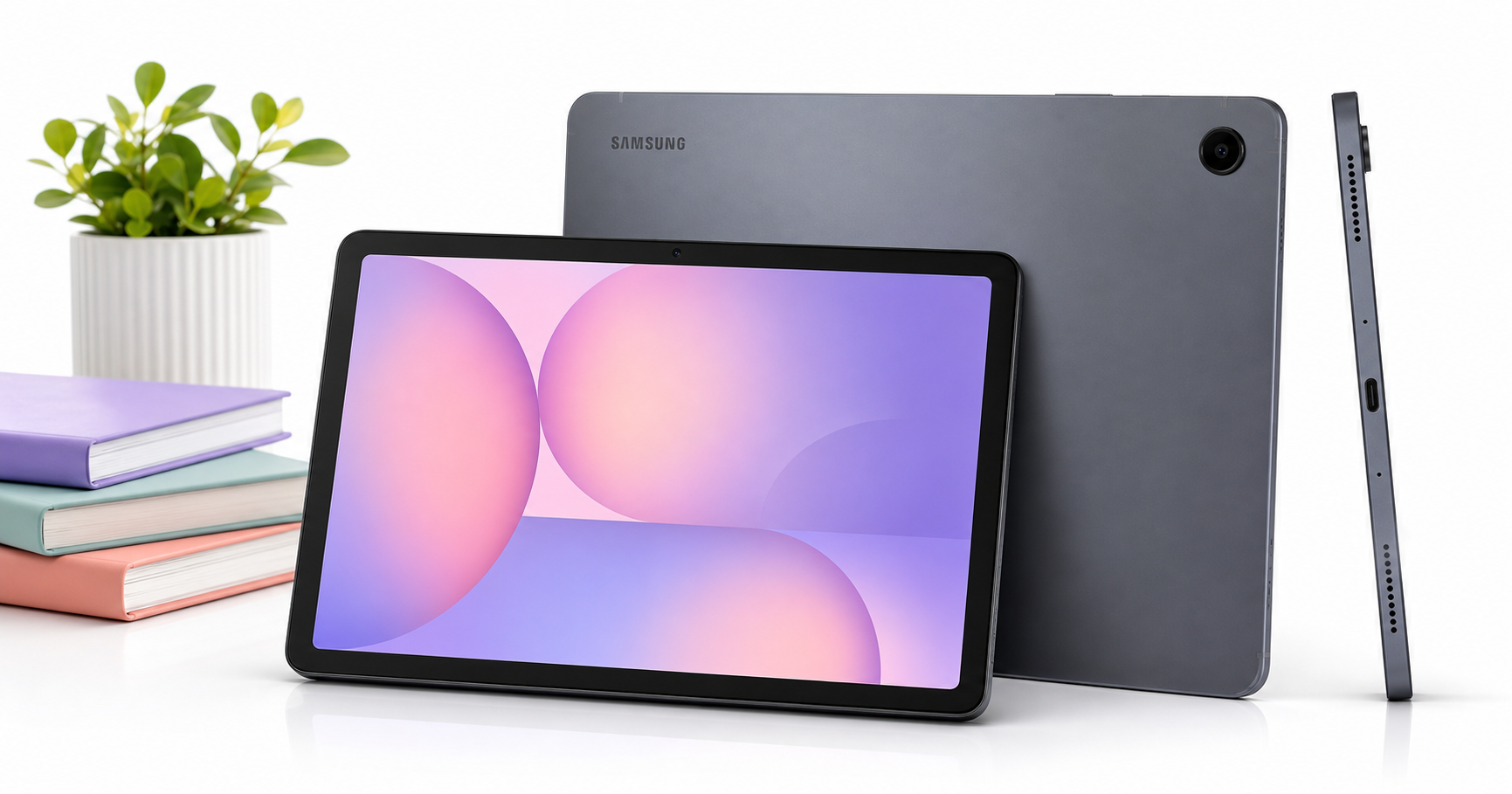
In the box, you can expect the tablet itself, a USB‑C cable, basic documentation, and a SIM tool for variants that support mobile connectivity (if applicable). A full charger may or may not be included depending on regional packaging, so plan to use an existing USB‑C power adapter if needed. The tablet is slim and relatively light for its size, with thin bezels around the 11-inch screen and a clean gray finish. -
Initial power-on and account setup
On first boot, you go through the standard Android setup flow: Wi‑Fi selection, Google account login, and optional Samsung account sign-in. If you’re moving from another Android device, Google’s restore options make it easy to bring across apps and basic settings. Samsung’s Smart Switch can further help migrate data from another Galaxy device. -
One UI and updates
The tablet runs Samsung’s One UI on top of Android, with a layout tuned for larger screens. During setup, it’s worth allowing it to install the latest system updates, which can improve performance and stability and apply security patches. Expect a familiar home-screen arrangement, Samsung’s app suite, and the Galaxy Store alongside the Google Play Store. -
Storage and microSD card
The 128GB of internal storage is generous for everyday use, and you can easily expand it via microSD card (up to a very high capacity, typically up to 1–2TB depending on card support). For users who store offline media, large games, or work files, adding a microSD card early on helps keep the internal storage free for apps and system data.
Daily Usage
In day-to-day use, the Galaxy Tab A11+ is focused on practicality: a large, sharp-enough display, adequate performance, and strong battery life for typical tasks.
Media and entertainment
The 11-inch WUXGA LCD panel (roughly 2000 x 1200 resolution) offers plenty of screen real estate for streaming video, YouTube, and casual gaming. Colors are reasonably vibrant and text looks crisp at normal viewing distances. It is not an OLED panel, so you won’t get perfect blacks or the same contrast as Samsung’s higher-end tablets, but for the price bracket it’s a solid screen.
The Dolby Atmos-enabled stereo speakers are a clear strength. They’re loud enough for personal viewing and light background music, with better spatial separation than many budget tablets. Voices come through clearly in movies and shows, and Atmos processing adds a bit more immersion when enabled.
Reading, web, and social apps
For reading e‑books, web articles, and comics, the 11-inch size strikes a nice balance between portability and comfort. The tablet is light enough to hold in one hand for short sessions, and the extra screen space compared to an 8‑ or 9‑inch tablet makes sidebars and UI elements less cramped. Browsing, email, and social apps feel smooth in general use, with enough RAM to keep multiple apps in memory without constant reloads.
Work, study, and multitasking
The 6GB of RAM and mid-range SoC handle office apps, note-taking, and remote-learning tools competently. Samsung’s split-screen and pop-up view modes allow you to run two apps side by side (for example, video call on one side and notes or a document on the other). While this is not a productivity powerhouse on the level of a Tab S-series device with a keyboard cover, it works well as a secondary screen, classroom device, or light work tablet.
Stylus input is not a core focus here; the A11+ does not ship with an S Pen and is not marketed with the advanced pen features found on higher tiers. Casual drawing or handwriting apps still function with standard capacitive styluses, but pressure sensitivity and palm rejection are limited by comparison.
Portability and ergonomics
The Galaxy Tab A11+ is slim and relatively light, making it easy to move around the house, slide into a backpack, or use during a commute. The flat edges and matte finish aid grip, though a case is advisable for protection and better ergonomics in landscape orientation. The front camera is centered in landscape mode, which is useful for video calls when the tablet is propped up on a stand.
Performance & Reliability
Under the hood, the Galaxy Tab A11+ uses a modern mid-range chipset (MediaTek Dimensity 7300 in many variants) paired with 6GB of RAM and 128GB storage. In practice, performance is more than adequate for typical tablet tasks:
- UI navigation: Swiping between home screens, pulling down quick settings, and switching between apps feel responsive, with only occasional stutters when many apps are open or background updates are running.
- Apps and games: Common apps—browsers, streaming services, office suites, note-taking, and messaging—launch reliably and stay in memory. Casual and mid-tier games run smoothly at moderate settings; demanding 3D titles may require lower graphics options to maintain consistent frame rates.
- AI Assist and smart features: Samsung’s AI-related helpers (depending on the region and software version) support things like smart search, suggestions, and optimization features. These are helpful but not transformative; they generally stay in the background and don’t feel intrusive.
Battery life
With a large battery (around the 8,000mAh class in most configurations) and an efficient SoC, battery life is a highlight:
- Light mixed use (web, email, some streaming): easily a full day and often more.
- Continuous video playback at medium brightness: typically in the range of many hours of screen-on time, enough for long trips or multiple movies.
Charging speeds are decent but not class-leading. Using a compatible fast charger significantly shortens top-up times compared with older 10–15W chargers; however, it still won’t match flagship-level charging speeds.
Software stability and updates
One UI on tablets is mature at this point, and the Tab A11+ benefits from Samsung’s extended update policies. You can reasonably expect multiple years of major Android updates and security patches, which is important if you want to keep the tablet for the long term. Day-to-day reliability is good, with few app crashes or glitches once initial updates are applied.
What Works Well
-
Large, comfortable display for media and reading
The 11-inch WUXGA display is well-suited for streaming, browsing, and reading. It’s not a high-end panel, but in its class it delivers adequate brightness and clarity with a comfortable aspect ratio for both portrait and landscape use. -
Solid everyday performance
The combination of a modern mid-range chipset and 6GB of RAM gives the tablet enough headroom for multitasking, remote-learning apps, office work, and casual gaming without frequent slowdowns. For typical home and student use, it feels smooth. -
Good speakers with Dolby Atmos
The built-in speakers are better than many competitors at similar price points. Dolby Atmos support enhances movies and shows, making the tablet a strong choice for media consumption without always needing headphones. -
Expandable storage
Starting from 128GB is generous, and the addition of a microSD slot means you can add substantial extra capacity for downloaded media, offline content, and large app libraries. -
Long-lasting battery
The large battery and efficient chipset combine to deliver strong runtime, making this tablet easy to use through a full day of mixed tasks without constantly seeking a charger. -
Slim and lightweight design
The chassis feels modern and unobtrusive, with thin bezels and a design that doesn’t feel budget, even though this is a mid-range device. -
Reasonable value
At around $249.99 for the 6GB/128GB configuration (depending on promotions and region), the Galaxy Tab A11+ offers a balanced mix of features and performance for the money.
What Could Be Improved
-
LCD panel vs. OLED
While the LCD is fine for most tasks, users coming from OLED smartphones or premium tablets may notice lower contrast and less vivid colors. Dark-room viewing highlights the difference most clearly. A higher peak brightness would also help outdoor visibility. -
Limited bundled accessories
Depending on your region and retailer, you may not receive a fast charger or any protective accessories in the box. Most users will want to budget for a case, potential keyboard cover, and a more powerful charger if they want faster top-ups. -
Not ideal for heavy 3D gaming
The mid-range chipset is capable, but demanding games will require medium or low graphics settings to run smoothly. If your primary goal is high-end mobile gaming, a more powerful (and more expensive) tablet might be a better fit. -
No premium stylus experience
Unlike Samsung’s S-series tablets, the A11+ does not center its experience around an S Pen. While basic stylus input is possible with generic options, users serious about drawing or handwritten notes will likely want an S Pen-enabled model. -
Software extras and pre-installed apps
As with many Samsung devices, there are several pre-installed apps and services. Most can be disabled or ignored, but some users may prefer a leaner out-of-box software load.
Overall Impression
The Samsung Galaxy Tab A11+ (6GB RAM, 128GB storage) is a strong all-rounder in the mid-range Android tablet segment. It combines a large, comfortable display, capable performance, loud Dolby Atmos speakers, expandable storage, and excellent battery life in a slim, modern design. For students, families, and anyone who wants a reliable tablet for streaming, reading, browsing, and light productivity, it’s a well-balanced choice.
It doesn’t attempt to be a pro-level creative or productivity machine, and it doesn’t offer the deep black levels or high refresh rates of flagship models. But given its feature set and the typical street pricing around $249.99, the Galaxy Tab A11+ stands out as a practical, dependable tablet that should serve most everyday users very well over the next several years.