
Xbox Wireless Gaming Controller (2025) Pulse Red Review: A Versatile Gamepad for Xbox and Beyond
Introduction
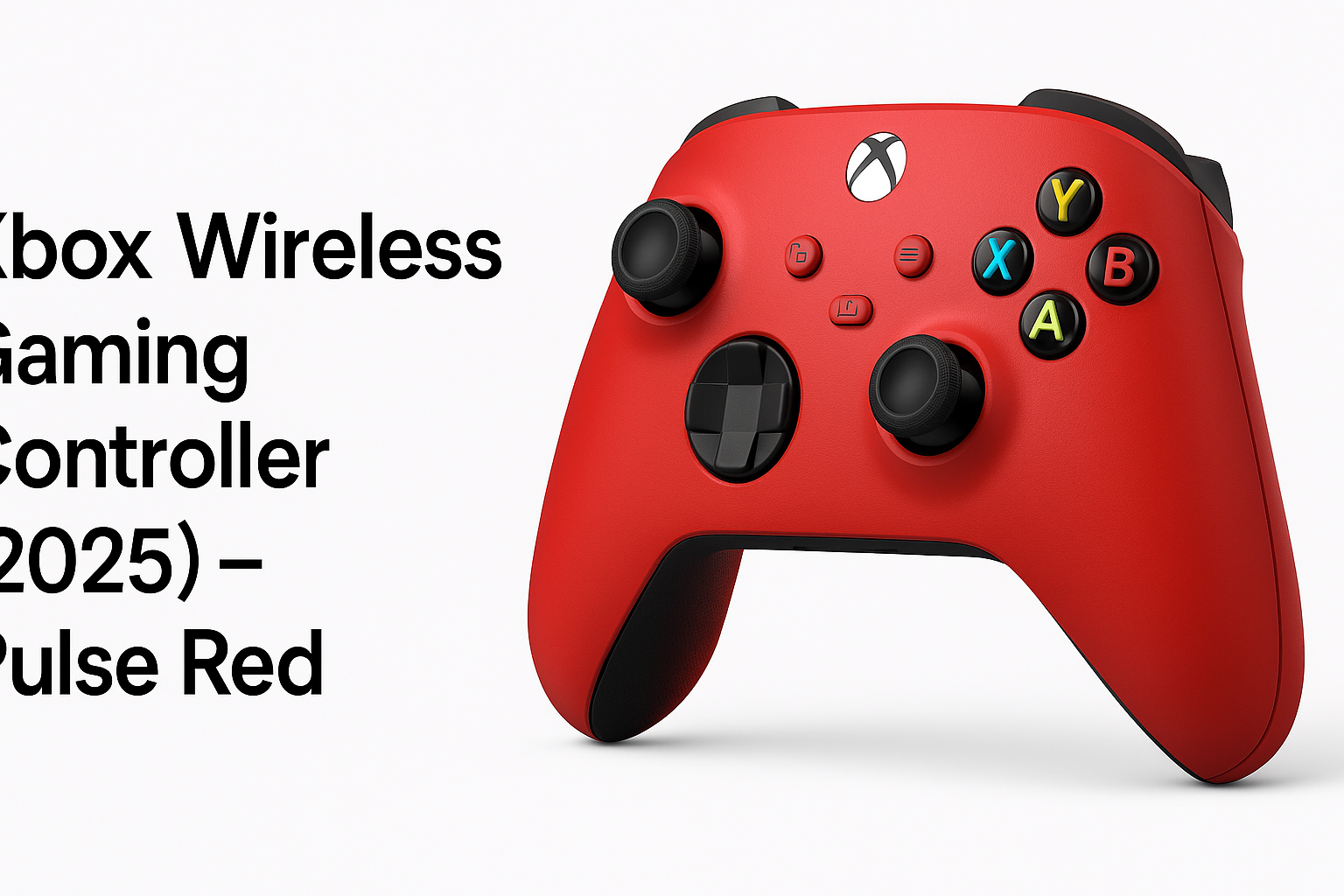
The Xbox Wireless Gaming Controller (2025) – Pulse Red is positioned as an all‑around gamepad for modern gaming ecosystems. Designed primarily for Xbox consoles, it also targets Windows PCs, Android and iOS devices, Fire TV sticks, smart TVs, and even compatible VR headsets via Bluetooth or proprietary Xbox Wireless connections.
This 2025 Pulse Red model follows the familiar layout introduced with the Xbox Series X|S era, offering textured grips, responsive triggers, and modern conveniences like a dedicated Share button. It aims to be a single controller that can move smoothly between living room console gaming, cloud gaming on mobile, and casual play on smart TVs, all at a mid‑range price point of $54.99.
Typical Use Cases
-
Console gaming on Xbox Series X|S and Xbox One
- Primary controller for single‑player and multiplayer titles.
- Drop‑in replacement or extra pad for local co‑op.
-
PC gaming on Windows
- Wired or wireless gamepad for Steam, Xbox app, and other launchers.
- Ideal for racing games, action titles, and any game with strong controller support.
-
Mobile gaming on Android and iOS
- Controller for cloud gaming services (such as Xbox cloud streaming) and native mobile titles with gamepad support.
- Portable option to pair quickly with a phone or tablet.
-
Streaming devices and smart TVs
- Gamepad for Fire TV sticks and compatible smart TVs, useful for casual games and cloud gaming apps.
- Simplifies living‑room gaming without a dedicated console.
-
VR and mixed‑reality headsets
- General‑purpose input device in VR environments that support standard Bluetooth controllers.
- Best suited for seated or cinematic VR experiences that don’t require motion tracking.
Performance in Each Scenario
1. On Xbox Consoles
On Xbox Series X|S and Xbox One, the Pulse Red controller performs as expected from an official Microsoft gamepad:
- Low‑latency connection using Xbox Wireless provides responsive inputs, suitable for fast‑paced shooters and competitive games.
- Button layout and feel are identical to the latest Xbox standard: slightly revised D‑pad, clicky face buttons, and well‑weighted triggers with smooth travel.
- Share button enables quick screenshots and short clips without digging into menus.
For players already using recent Xbox controllers, the experience is essentially seamless—this is a cosmetic refresh rather than a functional overhaul.
2. On Windows PCs
Paired with Windows over either Bluetooth or an optional Xbox Wireless adapter, the controller integrates cleanly:
- Plug‑and‑play recognition in modern Windows versions, with automatic mapping in most controller‑aware games.
- Good performance in Steam and Xbox app titles, with rumble and trigger feedback supported where implemented.
- Wired mode via USB‑C offers an alternative when you want to avoid battery drain or potential wireless interference.
For PC players, it behaves like any recent Microsoft Xbox controller: reliable, with broad compatibility and minimal setup.
3. On Android and iOS
In mobile scenarios, the Pulse Red functions as a flexible travel companion:
- Bluetooth pairing is straightforward; once remembered, phones and tablets reconnect fairly quickly.
- Works well in cloud gaming apps and any mobile game that offers controller support, delivering a console‑like feel on the go.
- Input latency is more dependent on the device and Bluetooth environment, but the controller itself does not introduce noticeable additional delay compared to other modern Bluetooth pads.
The main limitation is that not all mobile titles support external controllers, so its usefulness varies app by app.
4. On Fire TV Sticks and Smart TVs
For streaming sticks and smart TVs that support Bluetooth controllers, the Pulse Red can replace basic remote‑style input:
- Easier navigation in gaming‑focused interfaces and cloud gaming clients.
- Comfortable for longer play sessions compared with compact bundled remotes.
- Rumble and advanced features may not be supported in all TV apps, but core input (sticks, buttons, triggers) generally works as expected.
This makes it a solid option for lightweight living‑room gaming without a dedicated console.
5. With VR Headsets
As a standard gamepad in VR, the controller fits scenarios where you don’t need motion controllers:
- Good for media apps, 2D games in virtual theaters, or game menus.
- Works in VR titles that specifically support traditional controllers, though this is less common than motion control setups.
Because it lacks motion tracking, it’s best thought of as a supplemental VR accessory rather than a primary VR controller.
Strengths Across Scenarios
-
Proven ergonomics
The Xbox form factor is widely regarded as comfortable for a broad range of hand sizes. Curved grips, balanced weight, and textured surfaces help reduce fatigue during extended sessions. -
Wide cross‑platform compatibility
Official Xbox support plus Bluetooth connectivity allow one controller to cover Xbox consoles, Windows PCs, many mobile devices, streaming sticks, and some VR headsets. -
Responsive inputs
Sticks, triggers, and buttons feel precise, with consistent actuation and familiar resistance. This helps across genres—from FPS and racing games to platformers and action titles. -
Modern convenience features
The dedicated Share button, USB‑C port, and improved D‑pad bring it in line with current‑generation expectations without complicating the layout. -
Attractive Pulse Red design
The bold red finish provides a visual upgrade over plain black controllers, appealing to users who want their setup to stand out without resorting to third‑party designs. -
Reasonable value for a first‑party pad
At around $54.99, it sits in the mid‑range bracket for wireless controllers, offering official platform integration and solid build quality at a price that’s competitive with many third‑party alternatives.
Limitations Across Scenarios
-
Uses AA batteries by default
Like most standard Xbox controllers, it relies on replaceable AA batteries or an optional rechargeable battery pack (sold separately). This adds ongoing cost or requires investing in rechargeables. -
No advanced pro features
There are no rear paddles, trigger locks, or software‑level profile switching as seen on premium “pro” controllers. Competitive players seeking maximum customization may outgrow this model. -
Bluetooth variability on non‑Xbox devices
Performance on Android, iOS, smart TVs, and VR headsets depends heavily on each device’s Bluetooth implementation. Some users may experience minor pairing quirks or occasional dropouts in crowded wireless environments. -
Limited motion and sensor functionality
The controller does not include features like gyroscopic aiming or touchpads found on some competitors, which can be a drawback in titles optimized for those inputs. -
Cosmetic upgrade rather than a functional leap
If you already own a recent Xbox controller, the Pulse Red 2025 version is largely a style and replacement purchase; it does not significantly change the core experience.
Verdict
The Xbox Wireless Gaming Controller (2025) – Pulse Red is a dependable, no‑nonsense gamepad built on Microsoft’s well‑established controller design. Its main appeal lies in comfort, reliability, and broad compatibility rather than cutting‑edge features.
As a primary pad for Xbox and Windows, it delivers responsive controls and seamless integration. As a secondary controller for mobile gaming, smart TVs, and VR headsets, it provides a familiar layout that travels easily between platforms. The lack of built‑in rechargeable power, pro‑grade customization, or motion controls are notable omissions, but they are consistent with its positioning as a mainstream, not elite, gamepad.
For most players who want a single, versatile controller with an eye‑catching Pulse Red finish and an official ecosystem experience at around $54.99, this model is an easy recommendation. Power users, esports‑oriented players, or those seeking advanced features may still prefer a higher‑end pro controller, but for everyday gaming across multiple devices, the 2025 Pulse Red Xbox Wireless Controller hits a practical and reliable sweet spot.